
Home ▸ Arduino ▸ FreeRTOS Tutorials ▸
Updated On: February 5, 2026
FreeRTOS with Interrupts: Semaphores and Tasks Explained
Interrupts are essential in embedded systems because they allow the microcontroller to react instantly to external events. When FreeRTOS enters the picture, interrupt handling changes significantly. You can no longer write interrupt code the same way you do in bare-metal Arduino projects. FreeRTOS introduces tasks, scheduling, and context switching, all of which directly affect how interrupts behave and how they should be used.
In this tutorial, you will learn how interrupts interact with FreeRTOS. You will clearly understand what is allowed and what is forbidden inside an Interrupt Service Routine (ISR). Most importantly, you will see the correct and safe way to pass interrupt events to tasks using FreeRTOS semaphores.
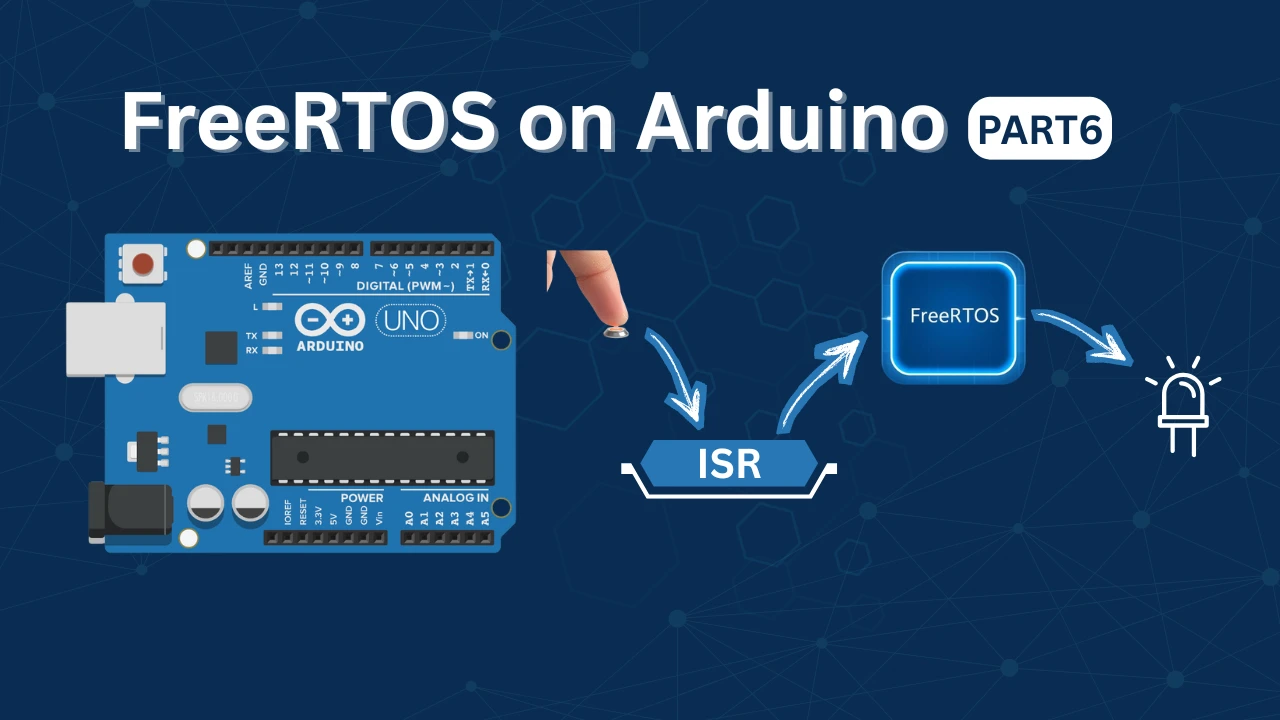
FreeRTOS Interrupt Handling – Core Concepts
When FreeRTOS is running, your program no longer executes in a simple loop. The RTOS manages multiple tasks, switches context, and controls timing. Because of this, interrupts behave differently compared to bare-metal Arduino code.
In a FreeRTOS system, interrupts must cooperate with the scheduler. A badly written ISR can block task switching or break timing behavior. That is why FreeRTOS defines strict rules for interrupt handling.
Understanding these core concepts is essential before writing any ISR-based code.
How Interrupts Work in a FreeRTOS System
In FreeRTOS, tasks do most of the application work. Interrupts are used only to signal events to those tasks.
When an interrupt occurs:
- The CPU immediately pauses the currently running task
- The ISR executes with higher priority than all tasks
- After the ISR finishes, FreeRTOS decides which task should run next
If the ISR wakes up a higher-priority task, FreeRTOS can switch context immediately.
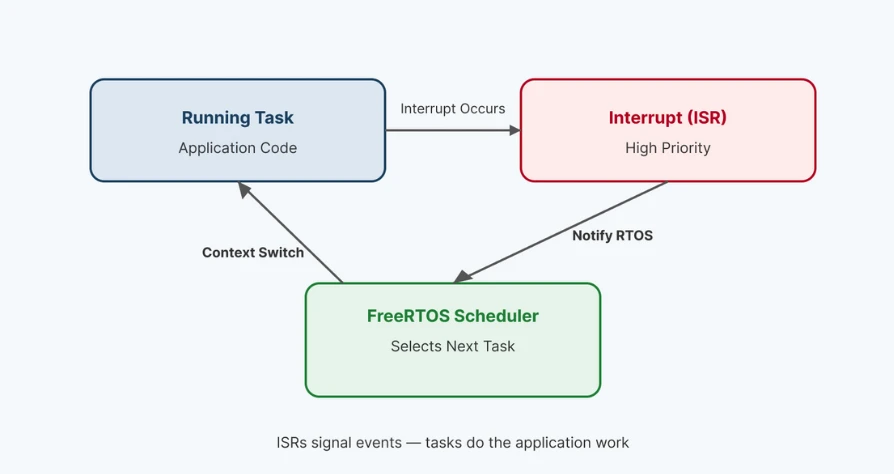
This is why interrupts should not contain application logic. Their job is to notify the RTOS, not to process data.
Why ISR Code Must Be Short in FreeRTOS
An ISR runs at a higher priority than every FreeRTOS task. While the ISR is running, no task can execute.
If the ISR takes too long:
- Task scheduling is delayed
- Time-critical tasks may miss deadlines
- System responsiveness drops
FreeRTOS expects interrupt service routines (ISRs) to follow a very simple pattern: they should capture the event, notify the appropriate task, and then exit immediately. Performing heavy processing inside an ISR is a common beginner mistake. While such code may appear to work in small demos, it often leads to timing issues, missed events, and system instability in real-world applications.
A well-designed ISR usually contains only minimal logic, such as updating a flag or signaling a semaphore or queue to wake a task. Beyond this, all application-level processing should be handled inside tasks, not within the interrupt itself.
Why delay() Must Never Be Used Inside an ISR
The delay() function depends on FreeRTOS timing and task scheduling. Inside an ISR, the scheduler is not running normally.
Calling delay() inside an ISR causes serious problems:
- The system can freeze
- Tasks may never resume
- Watchdog resets may occur
An ISR must never wait. It must execute and return immediately.
If you need a delay:
- Trigger a semaphore from the ISR
- Let a FreeRTOS task handle the timing using
vTaskDelay()
This approach keeps the ISR fast and the system stable.
FreeRTOS ISR Rules and Best Practices
Before writing any interrupt-based code in FreeRTOS, you must understand the rules. FreeRTOS is strict about what an ISR can and cannot do. Following these rules keeps your system stable, responsive, and easy to scale.
Using Only ISR-Safe FreeRTOS APIs
Not all FreeRTOS functions can be used inside an ISR. Many APIs assume the scheduler is running in task context. Calling them from an ISR can crash the system.
FreeRTOS provides ISR-safe versions of important functions. These functions end with FromISR.
Examples include:
xSemaphoreGiveFromISR()xQueueSendFromISR()xEventGroupSetBitsFromISR()
These APIs are designed to:
- Work correctly during an interrupt
- Avoid blocking
- Cooperate with the scheduler
Note:
Always check the function name. If it does not end with FromISR, do not use it inside an ISR.
xSemaphoreGiveFromISR Explained
xSemaphoreGiveFromISR() is used to signal a task from an interrupt. It does not perform any processing. It only notifies FreeRTOS that an event has occurred.
A common use case is a button interrupt:
- Button is pressed
- ISR runs
- Semaphore is given
- Task wakes up and handles the action
This keeps the ISR fast and clean.
The function also supports task switching. If giving the semaphore unblocks a higher-priority task, FreeRTOS can switch to it immediately. This makes semaphore-based ISR communication both safe and efficient.
xQueueSendFromISR Explained
xQueueSendFromISR() is used when data must be passed from an ISR to a task. Instead of just signaling an event, it sends actual information.
Typical examples include:
- Sending sensor data
- Sending button IDs
- Sending interrupt timestamps
The ISR places data into a FreeRTOS queue. The task receives and processes it later.
Like all ISR-safe APIs, this function:
- Never blocks
- Executes quickly
- Works correctly with the scheduler
Use queues when you need data transfer, not just event notification.
Context Switching from ISR (portYIELD_FROM_ISR)
Sometimes an ISR wakes up a higher-priority task. In such cases, FreeRTOS can perform an immediate context switch. This is done using portYIELD_FROM_ISR().
The typical flow looks like this:
- ISR gives semaphore or sends queue data
- A higher-priority task becomes ready
portYIELD_FROM_ISR()requests a context switch
As a result, the unblocked task runs immediately after the ISR exits.
This feature improves responsiveness in real-time systems. It ensures critical tasks respond without unnecessary delay. Used correctly, portYIELD_FROM_ISR() helps build fast and deterministic FreeRTOS applications.
FreeRTOS Hands-On Implementation (Step-by-Step)
Now it is time to build a complete working FreeRTOS example. In this section, we will combine everything you have learned so far. You will create a binary semaphore, trigger it from a button interrupt, and process the event inside a FreeRTOS task.
The goal is simple: The interrupt signals the event, and the task handles the logic. This is the correct and recommended FreeRTOS design pattern.
Creating a Binary Semaphore
A binary semaphore is used to signal an event from one context to another. In this case, it will be used to signal a task from an ISR. The semaphore is created once, before the scheduler starts. Initially, it is empty, so the task that waits on it will block until the ISR gives it.
#include <semphr.h>

SemaphoreHandle_t buttonSemaphore;

void setup() {
  // Create a binary semaphore (initially empty)
  buttonSemaphore = xSemaphoreCreateBinary();
}When the ISR gives the semaphore, the waiting task wakes up immediately. This mechanism replaces unsafe global flags and keeps synchronization clean.
Writing the Button Interrupt Service Routine
The button interrupt service routine (ISR) is kept extremely short. Its only responsibility is to notify FreeRTOS that a button press occurred.
Inside the ISR:
- No delay is used
- No LED control is done
- No logic is executed
The ISR simply gives the semaphore using xSemaphoreGiveFromISR() and exits. This ensures minimal interrupt execution time and avoids blocking the scheduler.
const int buttonPin = 2;

void buttonISR() {
  BaseType_t xHigherPriorityTaskWoken = pdFALSE;
  xSemaphoreGiveFromISR(buttonSemaphore, &xHigherPriorityTaskWoken);
  portYIELD_FROM_ISR();
}

void setup() {
  pinMode(buttonPin, INPUT_PULLUP);
  attachInterrupt(digitalPinToInterrupt(buttonPin), buttonISR, RISING);
}Task Waiting on Semaphore
A FreeRTOS task is created to handle the button event. This task waits indefinitely for the semaphore.
While waiting, the task consumes zero CPU time. It only runs when the semaphore becomes available. This is one of the biggest advantages of FreeRTOS: tasks sleep efficiently and wake up only when needed.
Once the semaphore is received, the task continues execution.
void ButtonTask(void *pvParameters) {
  while(1) {
    if(xSemaphoreTake(buttonSemaphore, portMAX_DELAY) == pdTRUE) {
      Serial.println("Button pressed! Task awake.");
    }
  }
}

// Create the task in setup()
xTaskCreate(ButtonTask, "Button Task", 128, NULL, 1, NULL);Task Controlling LED Based on Event
After receiving the semaphore, the task performs the actual action. In this demo, the task toggles or updates an LED.
Since this code runs in task context:
- Delays are allowed
- Complex logic is safe
- Additional features can be added later
This clean separation makes the system easy to expand. You can add logging, debouncing, or communication without affecting ISR performance.
const int ledPin = 13;

void ButtonTask(void *pvParameters) {
  pinMode(ledPin, OUTPUT);

  while(1) {
    if(xSemaphoreTake(buttonSemaphore, portMAX_DELAY) == pdTRUE) {
      digitalWrite(ledPin, !digitalRead(ledPin)); // Toggle LED
      Serial.println("LED toggled by task");
    }
  }
}Complete FreeRTOS ISR + Semaphore Example Code
This section combines everything into one complete and working Arduino FreeRTOS sketch. You will see how the button interrupt, ISR-safe semaphore, and FreeRTOS task work together as a single system.
- The ISR only signals the event.
- The task handles the logic.
- This is the correct FreeRTOS design pattern.
Full Arduino FreeRTOS Code
#include <Arduino_FreeRTOS.h>
#include <semphr.h>

// Pin definitions
const int buttonPin = 2; // Button connected here
const int ledPin = 13;   // Built-in LED

// Binary semaphore handle
SemaphoreHandle_t buttonSemaphore;

// ----------------------------
// Interrupt Service Routine
// ----------------------------
void buttonISR() {
  BaseType_t xHigherPriorityTaskWoken = pdFALSE;

  // Give semaphore to unblock the task
  xSemaphoreGiveFromISR(buttonSemaphore, &xHigherPriorityTaskWoken);

  // Yield to task immediately if higher priority task woken
  portYIELD_FROM_ISR();
}

// ----------------------------
// Task to handle button press
// ----------------------------
void ButtonTask(void *pvParameters) {
  pinMode(ledPin, OUTPUT);

  while (1) {
    // Wait for button event
    if (xSemaphoreTake(buttonSemaphore, portMAX_DELAY) == pdTRUE) {

      // Simple software debounce
      vTaskDelay(pdMS_TO_TICKS(150));

      // Check button still pressed
      if (digitalRead(buttonPin) == LOW) {
        digitalWrite(ledPin, !digitalRead(ledPin));
        Serial.println("Button pressed → LED toggled");
      }
    }
  }
}

// ----------------------------
// Arduino setup
// ----------------------------
void setup() {
  Serial.begin(9600);

  // Create binary semaphore (initially empty)
  buttonSemaphore = xSemaphoreCreateBinary();
  if (buttonSemaphore == NULL) {
    Serial.println("Failed to create semaphore!");
    while (1);
  }

  // Configure button pin and attach ISR
  pinMode(buttonPin, INPUT_PULLUP);
  attachInterrupt(digitalPinToInterrupt(buttonPin), buttonISR, FALLING);

  // Create the button handling task
  xTaskCreate(
    ButtonTask,    // Task function
    "Button Task", // Task name
    128,           // Stack size
    NULL,          // Task parameters
    1,             // Priority
    NULL           // Task handle
  );

  Serial.println("Setup complete. Press the button to toggle LED.");
}

// ----------------------------
// Arduino loop (not used)
// ----------------------------
void loop() {
  // Empty: all logic handled by FreeRTOS tasks
}This code demonstrates:
- A short and safe ISR
- Proper use of
xSemaphoreGiveFromISR() - Task-based logic handling
- Clean separation between interrupt and application code
Output
The video below shows the LED toggling every time the button is pressed.
When you press the button:
- The interrupt triggers immediately
- The semaphore is given from the ISR
- The FreeRTOS task wakes up
- The LED changes its state
The LED does not toggle inside the ISR. All logic runs inside the FreeRTOS task, ensuring stable and responsive behavior.
Conclusion
In this tutorial, we explored how to safely connect a hardware interrupt to application logic using FreeRTOS binary semaphores on Arduino. We covered why ISRs should remain short, how to create and use a binary semaphore, and how a FreeRTOS task can efficiently wait for events without wasting CPU time. By moving all logic into the task context, we followed the recommended FreeRTOS design pattern and avoided common pitfalls such as blocking interrupts, unsafe global flags, and unpredictable behavior.
This approach is extremely useful in real-world embedded systems where responsiveness and stability matter. Using a semaphore allows the system to react immediately to external events while keeping the scheduler in full control. It also makes the application easier to extend and debug, since features like debouncing, logging, delays, or communication can be added inside tasks without touching the ISR. This clean separation between event detection and event handling is one of the core strengths of FreeRTOS.
In the next tutorial, Part 7: Event Groups (Multi-event Synchronization), we will go beyond single-event signaling. Event Groups allow multiple tasks to wait on one or more events at the same time, making them ideal for complex systems where several conditions must be met before an action can occur. This will open the door to more advanced synchronization patterns and bring your FreeRTOS knowledge one step closer to production-ready designs.
Browse More Arduino FreeRTOS Tutorials
FreeRTOS on Arduino (Part 2): Task Scheduling on Arduino – Tasks, Priorities & Time Slicing
FreeRTOS on Arduino (Part 3): vTaskDelay vs vTaskDelayUntil and Software Timers
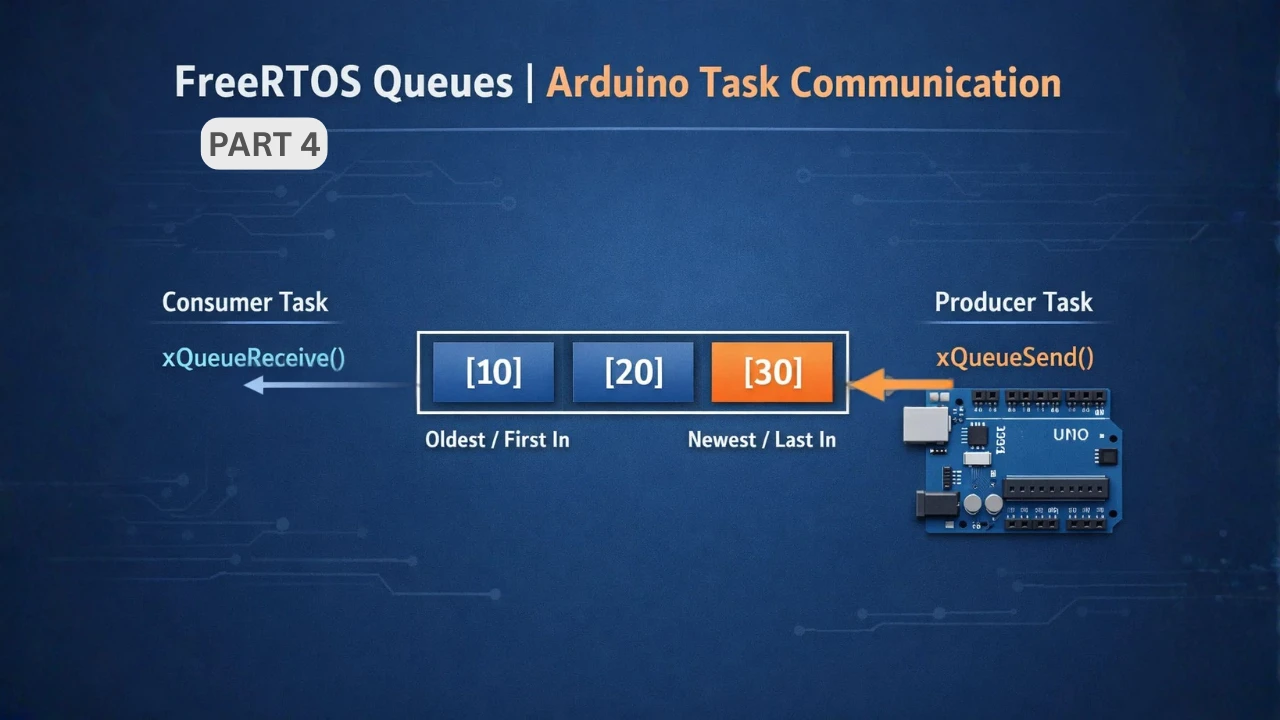
FreeRTOS on Arduino (Part 4): Inter Task Communication with Queues
FreeRTOS on Arduino (Part 5): Semaphores and Mutex Explained with Practical Examples
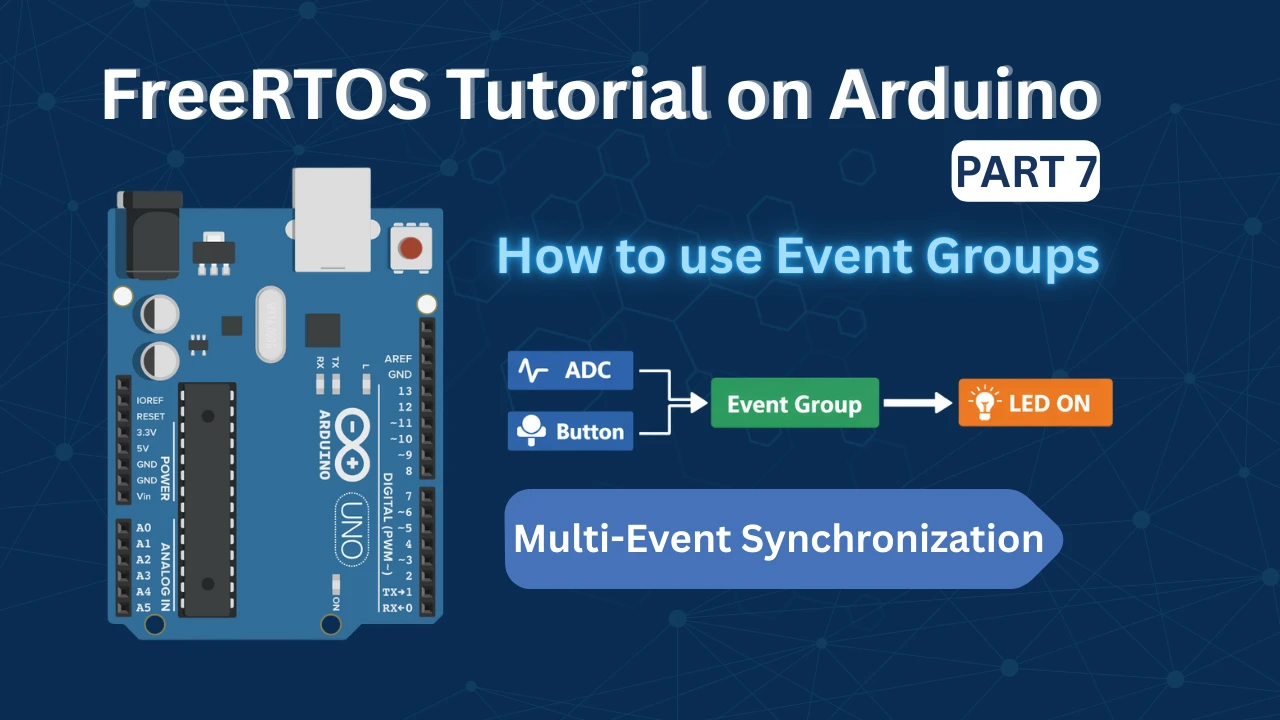
FreeRTOS Tutorial on Arduino (Part 7): Event Groups | Multi-Event Synchronization
Arduino FreeRTOS Project Download
FAQs – FreeRTOS with Interrupt

Subscribe
Login
0 Comments
Newest

